The platform for exhibitions and conferences
Your exhibition on one platform. From registration to the last visitor.
Visitors register with their name and phone number and carry their badge on their phone, the gates check them in by QR code, and exhibitors run their own booths. When the days are over, the exhibition stays open in a 3D virtual exhibition.
Every exhibition gets its own domain and its own database.
Sara Ahmed
Visitor
FX-00428
Entry allowed
Main gate · 10:42 AM
In the halls now
1,284
of 3,560 registered today
What it runs
Everything the exhibition team needs, in one place.
Instead of forms, spreadsheets and group chats, your team, your exhibitors and your visitors work on the same data.
Registration and badges
Sign-up with a name and phone number, a digital badge with a signed QR code sent by SMS or email, and printed cards for the reception desk.
Gates and check-in
A scanner that runs on any phone, even offline, walk-in registration, and hall occupancy as it happens.
Programme and sessions
The exhibition's days, halls and speakers in one schedule, a live screen in the hall, and session streams.
Exhibitors and sponsors
Applications and sponsorship tiers, a portal where each exhibitor runs its page and products, join links and printed guides.
Exhibition directory
A page for every organisation with a QR code on its booth, search by sector and hall, products, offers and downloads.
Halls and booths
Sections and numbered booths, organisations assigned to them, and booth signs ready to print.
Messages
SMS and email from one place, with ready templates and an unsubscribe for every recipient.
Dashboards and data
Registration and attendance as they happen, organisations and sessions imported from Excel, data exported to it.
AI assistant
An assistant from ChatSheba answers visitors about the exhibition and the programme, from content your team approves.
Virtual exhibition
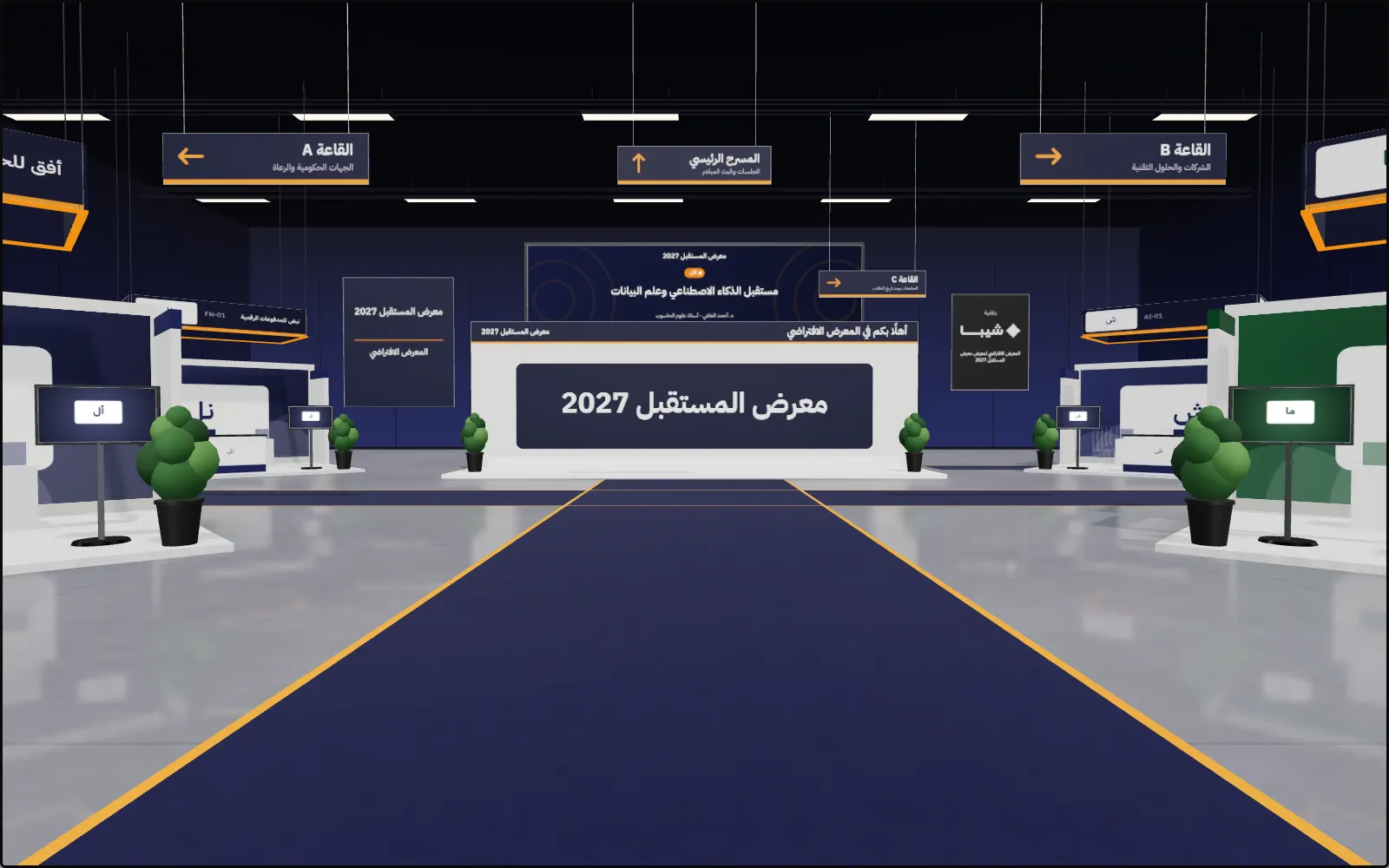
A 3D exhibition built from your exhibition's own data.
The lobby, the halls and the booths are drawn from the exhibitors' data: their logos, products, pictures and videos. Visitors walk between the booths on their phone or computer, talk to the booth's AI employee, and watch the stage's sessions.
- Runs in the browser on phones and computers, no app.
- An AI employee in each booth answers from the organisation's own material.
- The stage: the live stream and recorded sessions.
- Leads for exhibitors, with the visitor's consent, and a morning summary.
- A quick tour of the featured booths, and a visit passport for what each visitor has seen.
- A list view for any device that can't show 3D.
Tested with five thousand visitors entering at the same time.
From agreement to opening day
Three steps to open registration.
We set up your exhibition
We create an instance for your exhibition on your domain, with its own database and storage, and add its identity, days and halls.
You add exhibitors and the programme
Import organisations and sessions from Excel, or send exhibitors join links to complete their own details.
Registration opens
The registration page goes live, visitors get their badges and the gates run on opening day. After the event, open the virtual exhibition whenever you choose.
Data and security
Your exhibition's data stays with your exhibition.
Every exhibition runs in its own environment. Its visitors' and exhibitors' data is never mixed with another exhibition's.
Its own database
Every exhibition has its own database, storage, domain and settings.
Permissions per role
Nine roles, from management to the reception desk and exhibitors, each with only what it needs.
A log of every change
Every change to the data is recorded: who made it, and when.
Two-step sign-in
Management accounts sign in with a password and a code from an authenticator app.
No personal data in QR codes
A badge carries a signed token only, never a name or a phone number.
Backups
Daily and weekly backups, and the database restorable to any earlier moment.
In Europe
The platform and its databases run in data centres in Amsterdam.
Built in Arabic from the ground up
- Right-to-left on every page
- Clear numbers, dates in local time
- Light and dark themes
- On phones as on computers
FAQ
What organisers ask us.
Do we need an app?
No. Everything runs in the browser: the visitors' pages, the scanner at the gates, the team's dashboards and the virtual exhibition.
Can the exhibition run on our domain?
Yes. Every exhibition runs on its own domain, and we connect it with you.
What if the connection drops at a gate?
The scanner keeps working offline and sends what it recorded when the connection is back.
How does a visitor get the badge?
By SMS or email with a link to the badge, and the visitor can get it back with their phone number.
Do exhibitors manage their own pages?
Yes. Each exhibitor signs in with a code sent to its email, adds products, pictures, offers and materials, and sets up its booth in the virtual exhibition.
How is it priced?
By the size of the exhibition and the features you need. Request a demo and we will send you the details.
Tell us about your next exhibition.
Share the venue, the dates and the visitors you expect, and we'll prepare a walkthrough on a demo exhibition.
We'll walk you through it on a demo exhibition.